
A YouTube content factory on autopilot
Create a channel from a reference — the pipeline does the rest: AI script, voice-over, visuals, GPU render, YouTube publishing.
Already have a license key? Enter it — downloads still work for key holders. →
How Mutant works — in 2 minutes
How it works
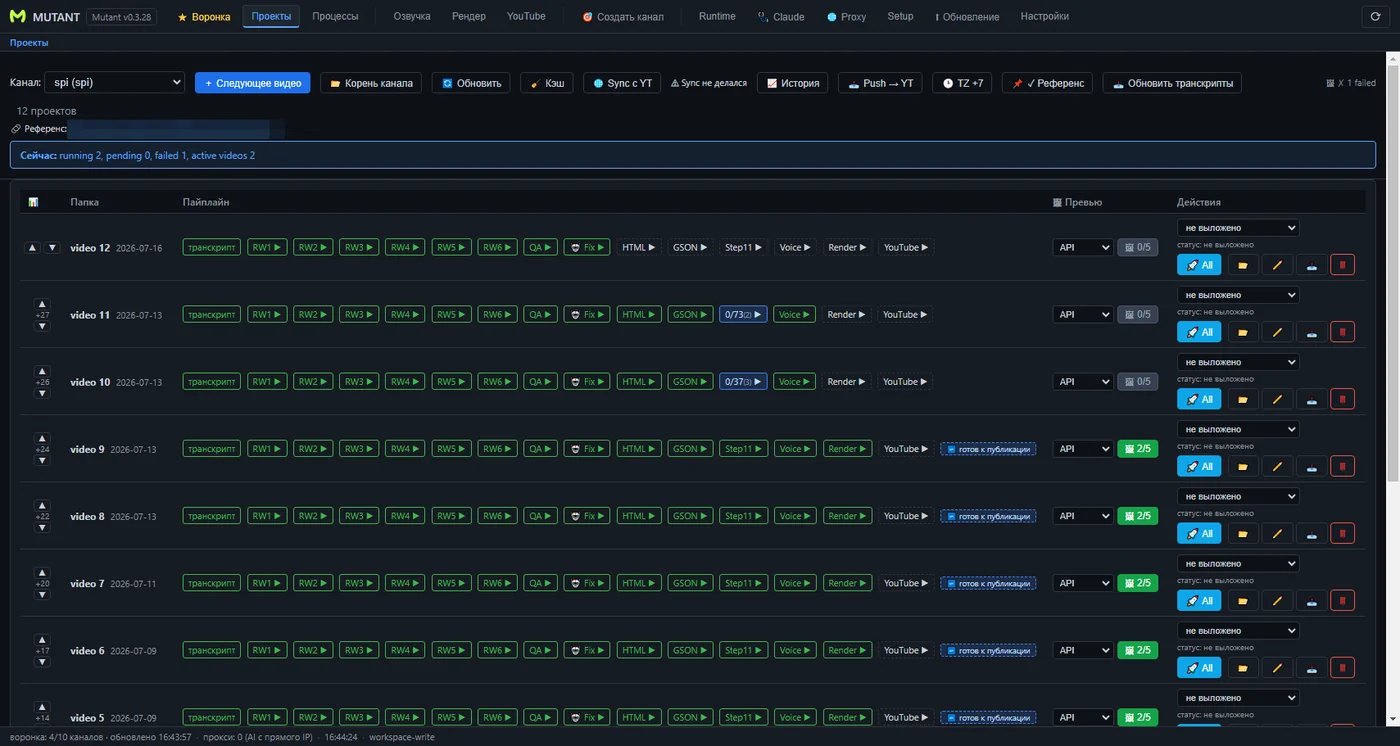
The Projects tab: each video goes through the chain of steps from text to publishing
What's inside
🎯 Channel Wizard
Create a channel from any reference channel — analysis, knowledge base and branding are generated for you.
🖋 AI rewrite & translation
Rewrite scripts or clone whole channels into other languages.
🎤 TTS voice-over
Multiple voices and providers, queue-based processing.
🎬 AI visuals
Generated footage for every scene of the script.
📼 Smart render
Built-in benchmark picks the fastest encoder: NVENC, QSV, AMF or CPU.
📺 YouTube autopilot
Upload queues, scheduling and a funnel view of every video's progress.
Screenshots
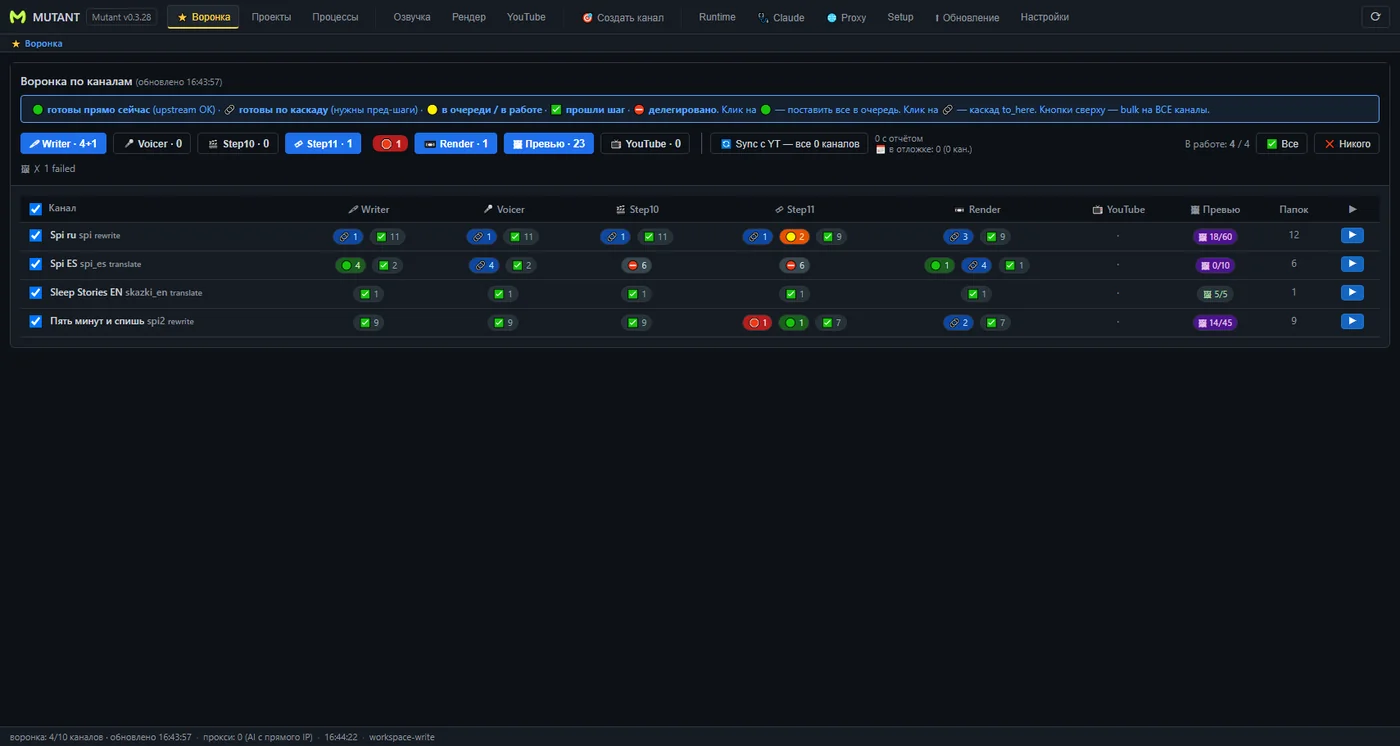
The main screen — all your channels and production stages at a glance
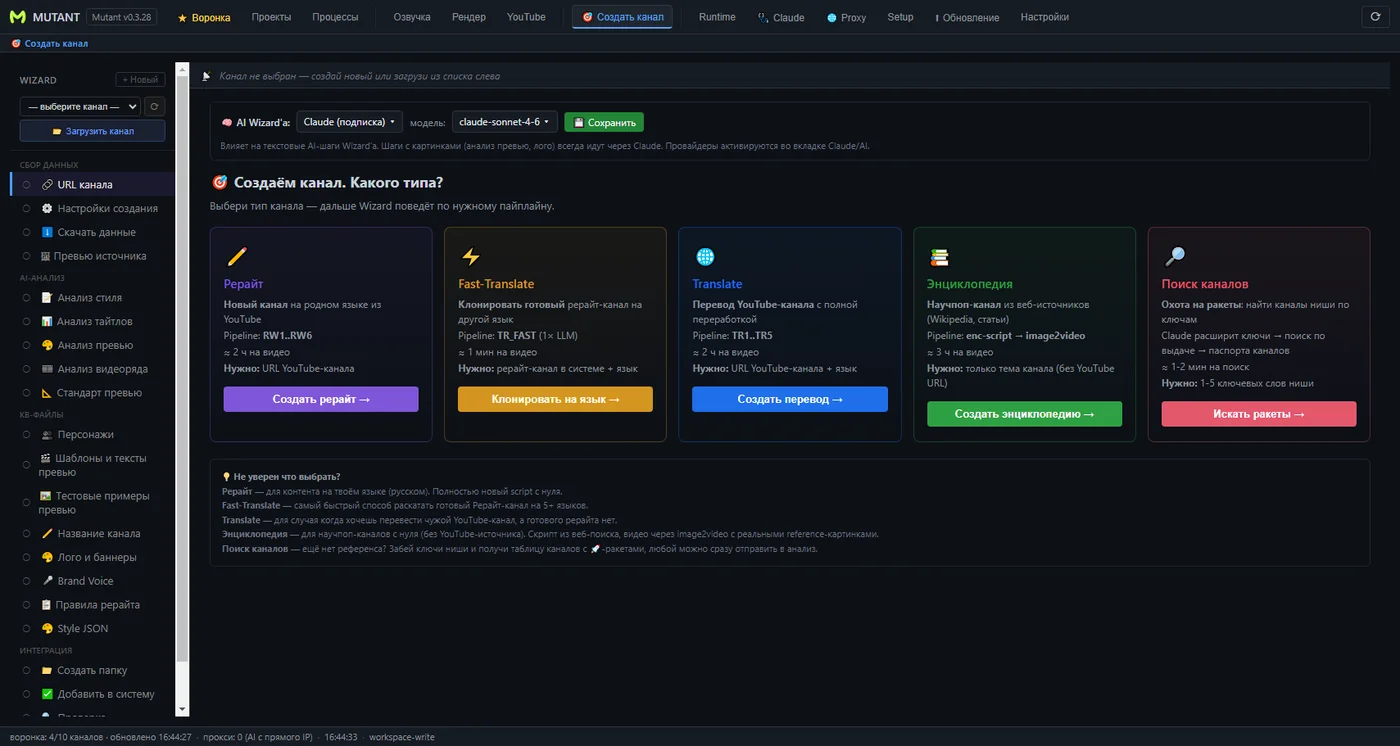
Creating a channel from a sample
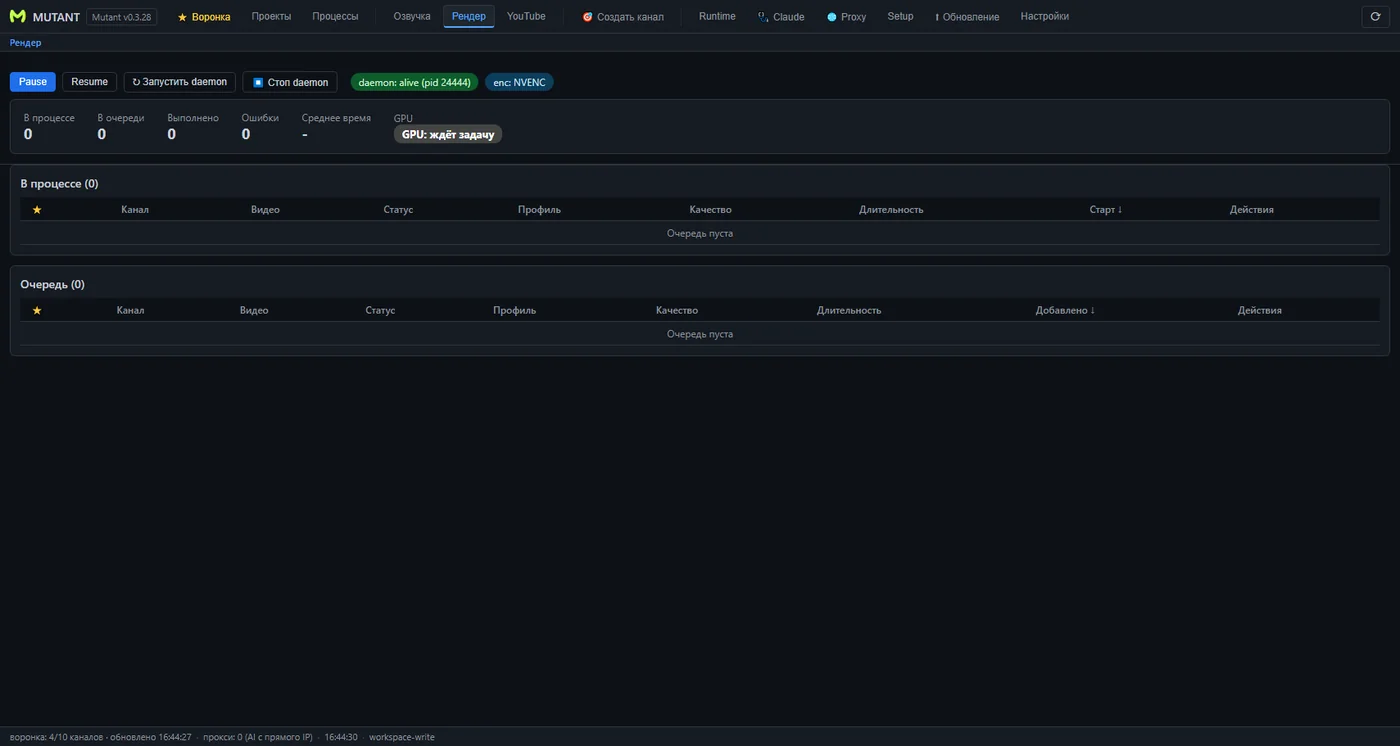
Assembling the video (locally or in the cloud)
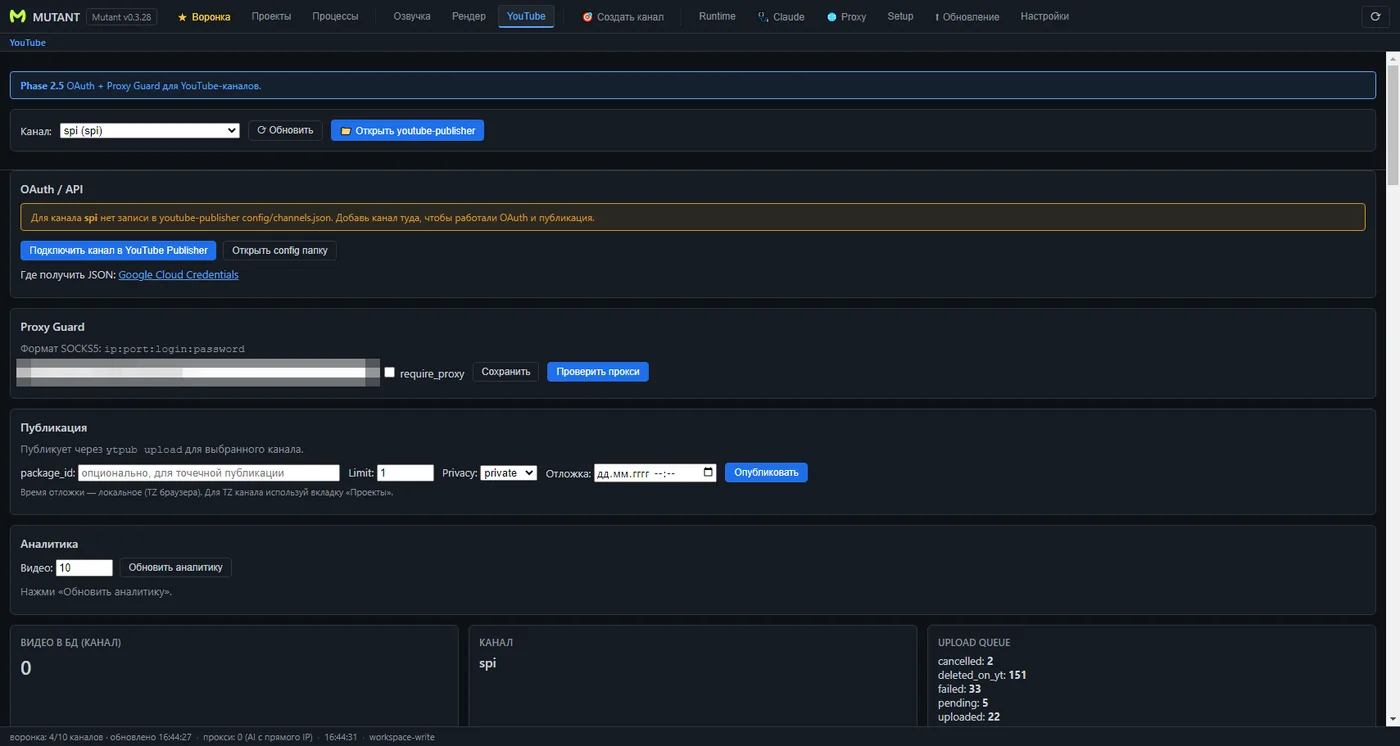
Publishing to YouTube
Pricing
Pricing will be announced at launch.
FAQ
Do I need a graphics card?
What if my computer is weak or has no graphics card?
What else do I need besides the app?
On how many computers does it work?
How many videos per day can it produce?
Windows warns me during installation — is that normal?
Coming soon
Mutant is being finished before launch. Downloads and pricing will appear here once the release is ready.
Message us on Telegram:
@mutant_agent